Dollar Shop is an online shopping app that offers customers free worldwide shipping on all orders!
This redesign improved the application’s layout and design to make it user-friendly, modern, and easy to use to encourage the customers to use the application for their online shopping.
E-COMMENRCE
DOLLAR SHOP
UXUI
www.dollarshop.com
Designer: Minoo Hezaveh
Email address: minoohezaveh@gmail.com
Project mandates: 18 March, 2021
Contact:
Phone number: xxx-xxx-xxxx
Address: Ottawa, Ontario, Canada
Email address: dollarshop@shopping.com
App: Google Play
2- Primary contact – Minoo Hezaveh
3- Project title – Redesign a mobile application
4- Designer name – Minoo Hezaveh
5- Start date – 18 March, 2021
6- Project deadline – 22 April, 2021
7- Project objectives – Redesign responsive mobile application
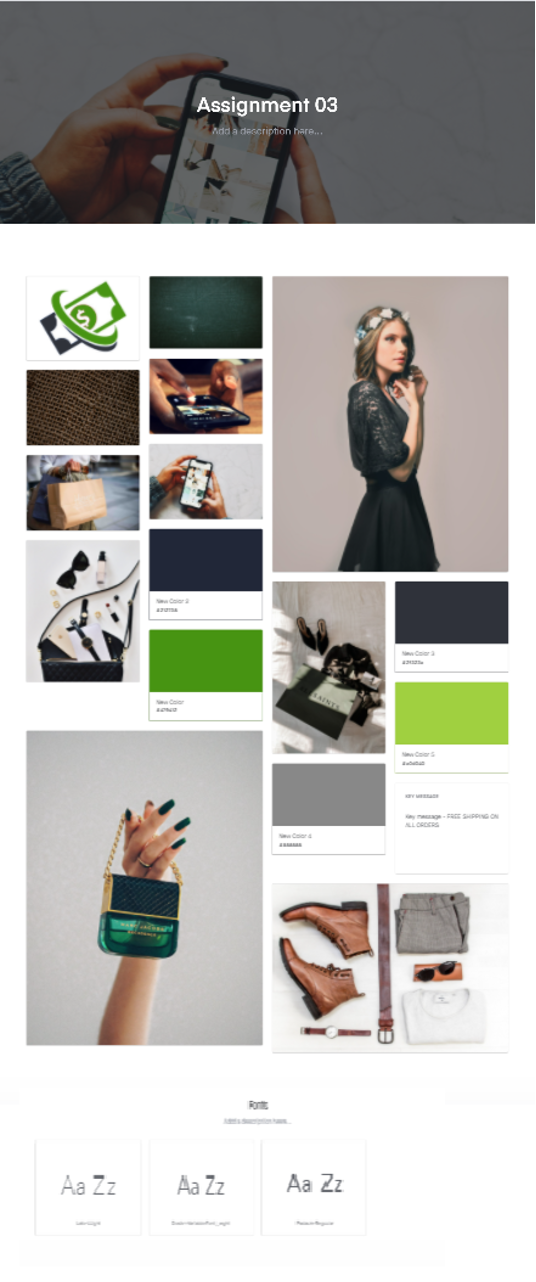
12- Key message – FREE SHIPPING ON ALL ORDERS
13- Current/desired perception – Redesign a mobile application for online shopping. Make it more user-friendly and modern.
14- Strategic focus – Online Shopping and delivery. Free shipping and delivery.
15- Tone & manner – Shopping, fun, happiness.
16- Project mandates – 22 April, 2021
17- What is there a unique selling point of product or service – Free shipping worldwide.
18- What is the emotional benefit – Please every palate, satisfaction, and happiness.
19- Creative considerations –
20- Strategic plan – Update the application every day with new products and customers’ photos and reviews. Offer special events and promotions such as holiday coupons or customers’ birthday discounts.
21- What is the objective – Design a modern and stylish mobile application and logo to promote the “Dollar Shop” name and offer out to people. Increase the number of customers and therefore, more sales. Encourage their customers to use the application and share their experience with Dollar Shop.
Demographic | ||
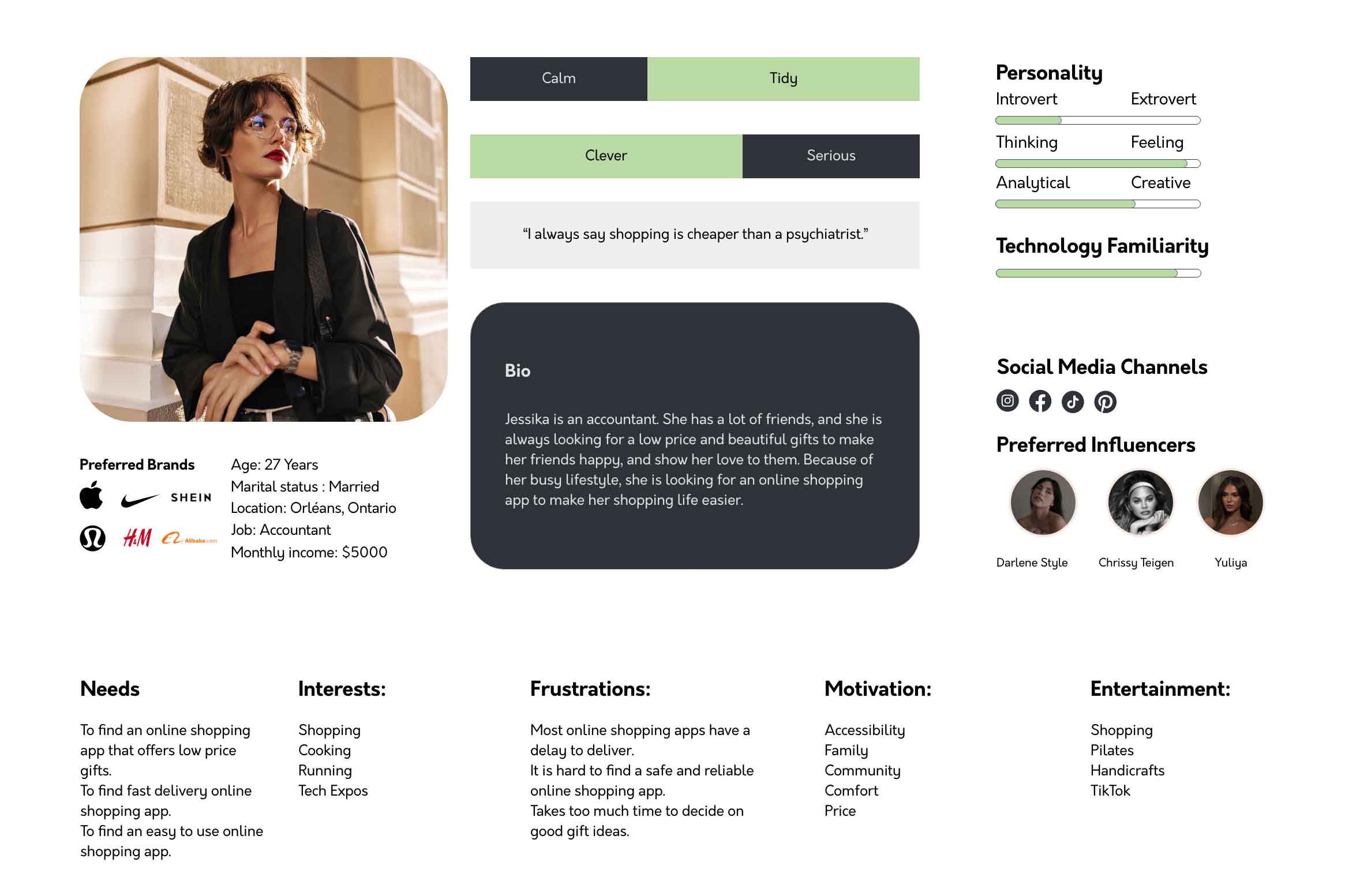
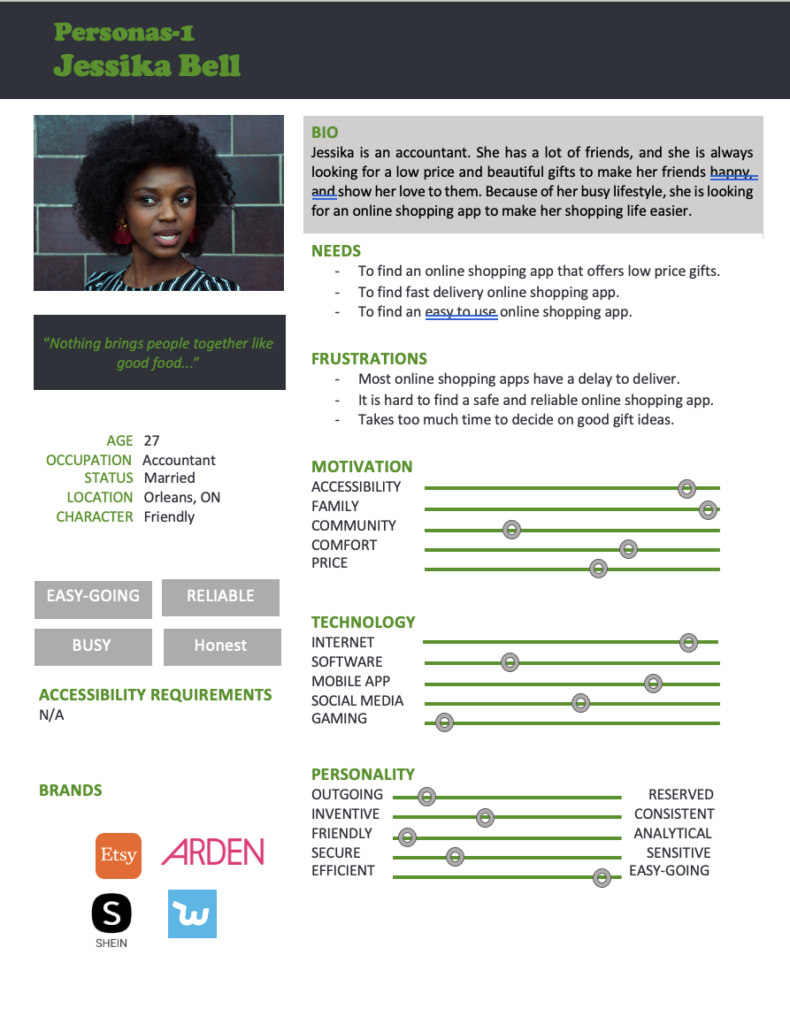
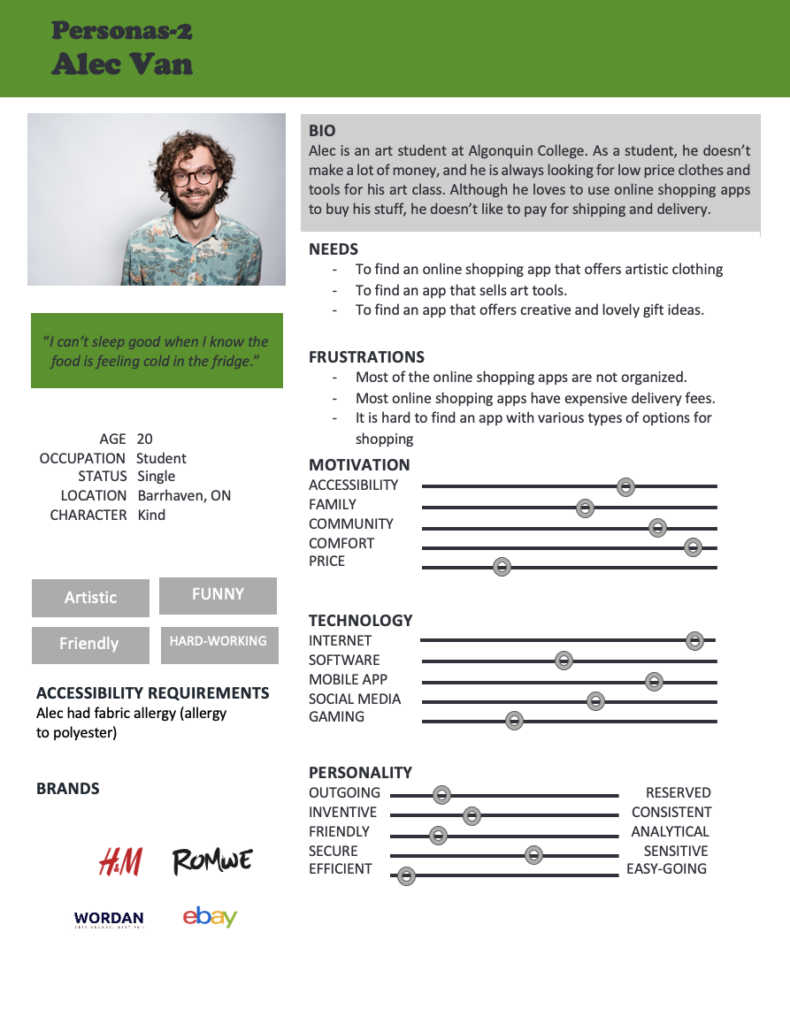
Name | Jessika Bell | Alec Van |
Gender | Female | Male |
Age | 27 | 20 |
Education | Bachelor degree | College student |
Position | Accountant | Artist |
Salary | +60k | +10K |
Psychographics | ||
Name | Jessika Bell | Alec Van |
Opinions | Extrovert | Extrovert |
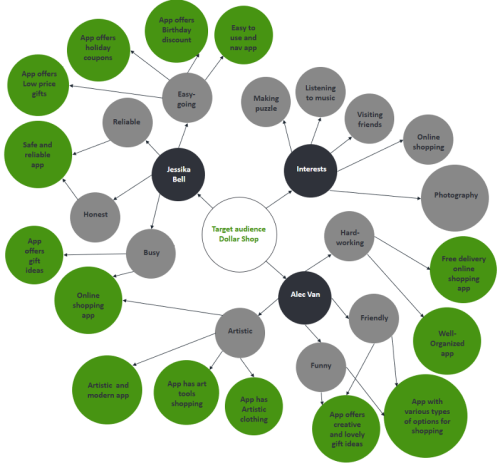
Personality | Reliable, Honest, Easy-going, Busy | Artistic, Hard-working, Funny. |
Values | Honesty | Respectful |
Activities | Swimming, Meditation | Basketball, Golf |
Interests | Making puzzle, Online shopping | Listening to music, visiting friends |
Lifestyles | Busy life, Married | Student fun life, Single |
Geographic | ||
Name | Jessika Bell | Alec Van |
Location | Orleans, ON | Barrhaven, ON |
The base users are most likely different generations and ages from different countries.
The base users are most likely brides, bridegroom and their families.
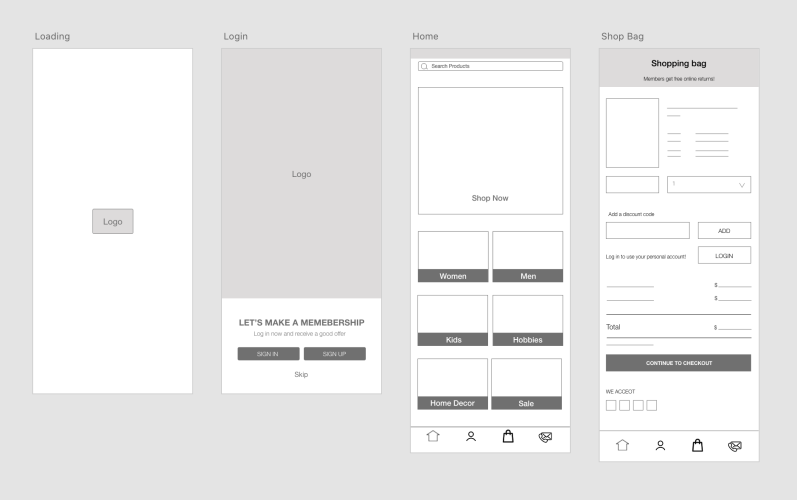
I re-designed the Home page and Shopping page.
Home Page:
1. The app does not have an organized layout and category on the home page.
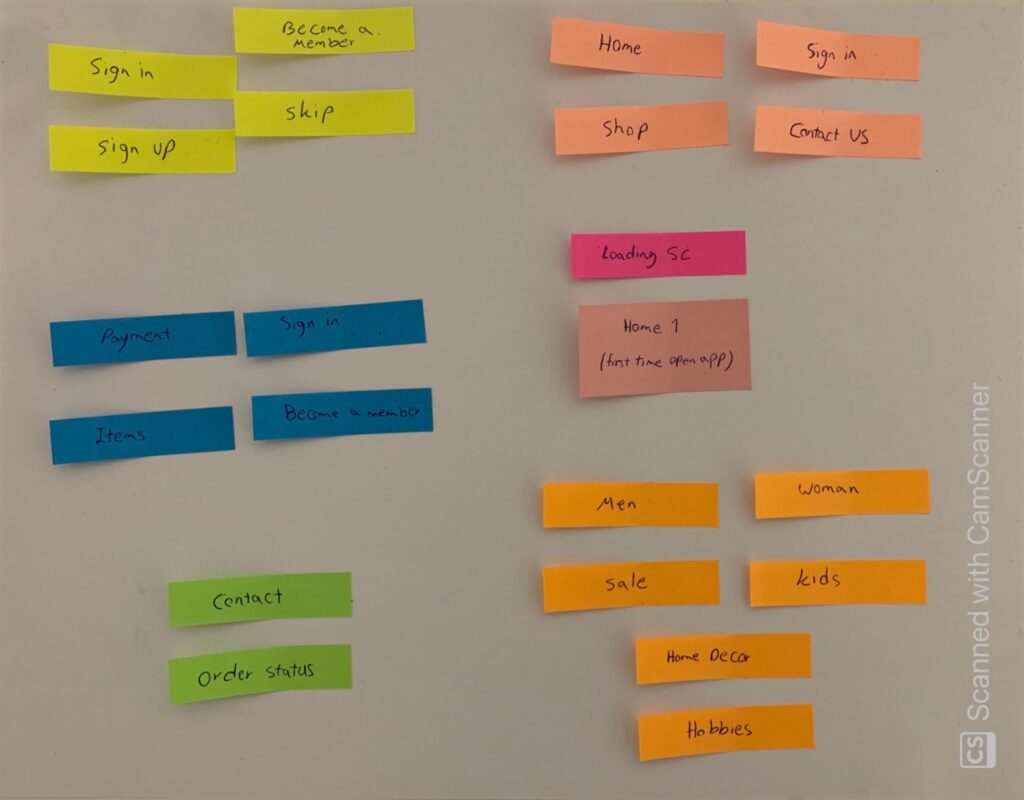
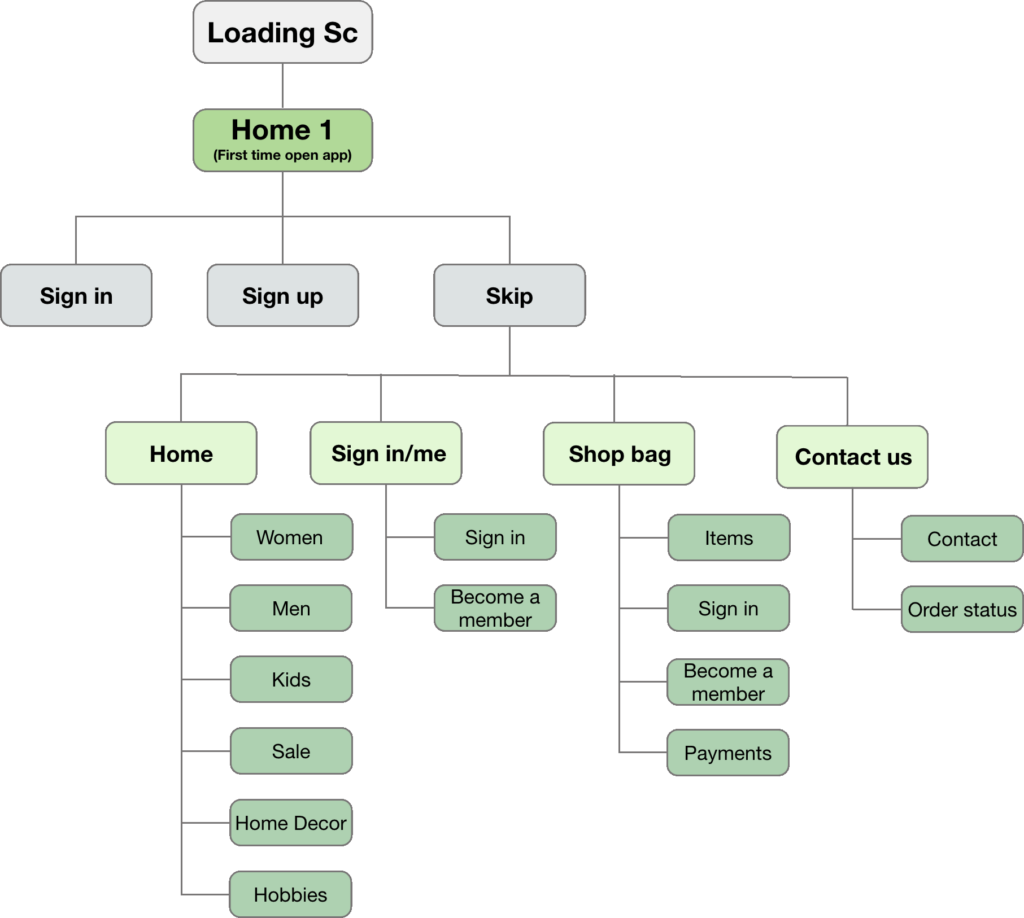
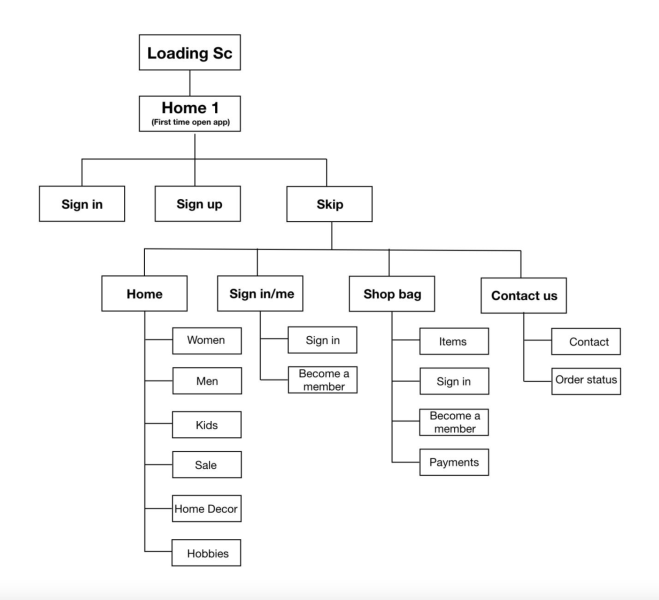
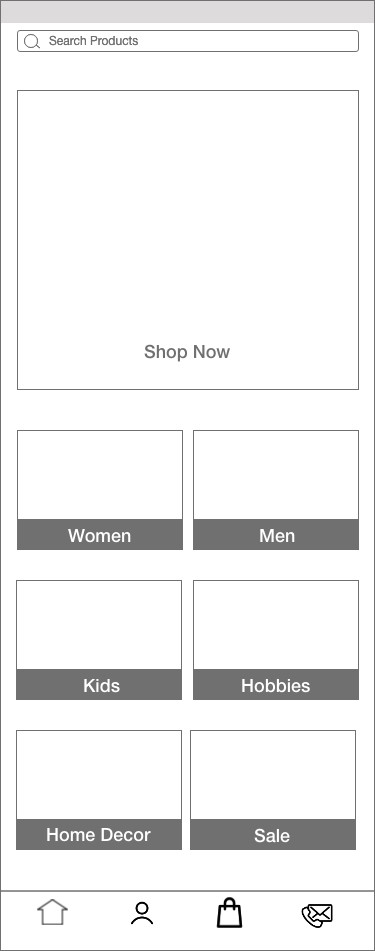
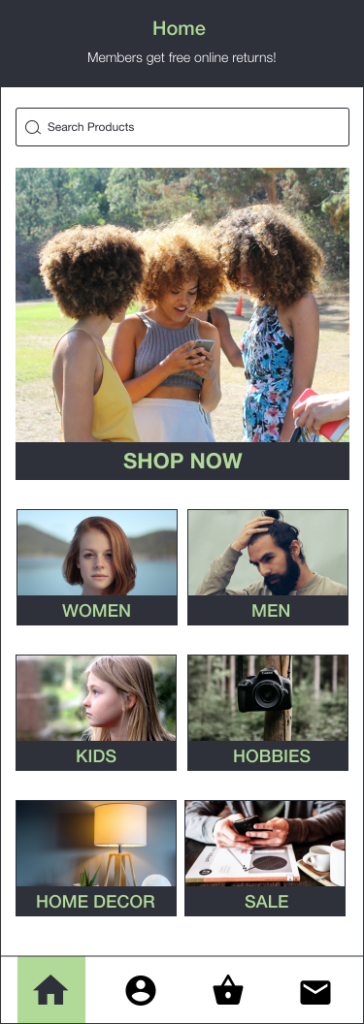
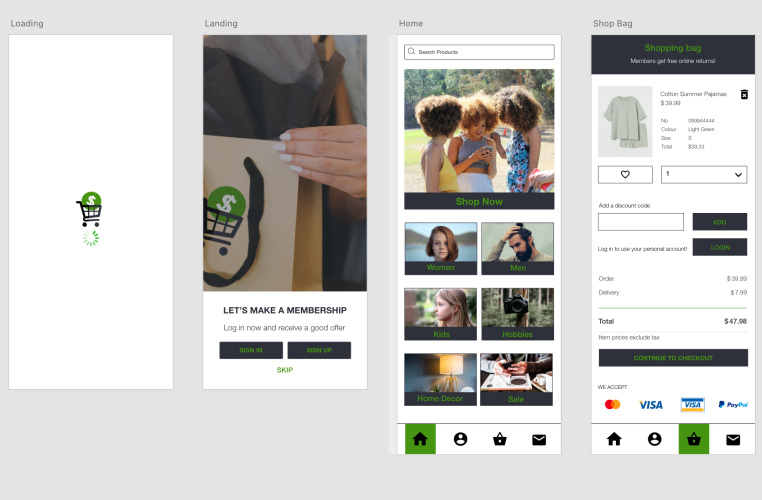
a. I tried to create a simple and organized layout of six shopping categories on the home page, including “Women, Men, Kids, Hobbies, Home decor, and Sale”.
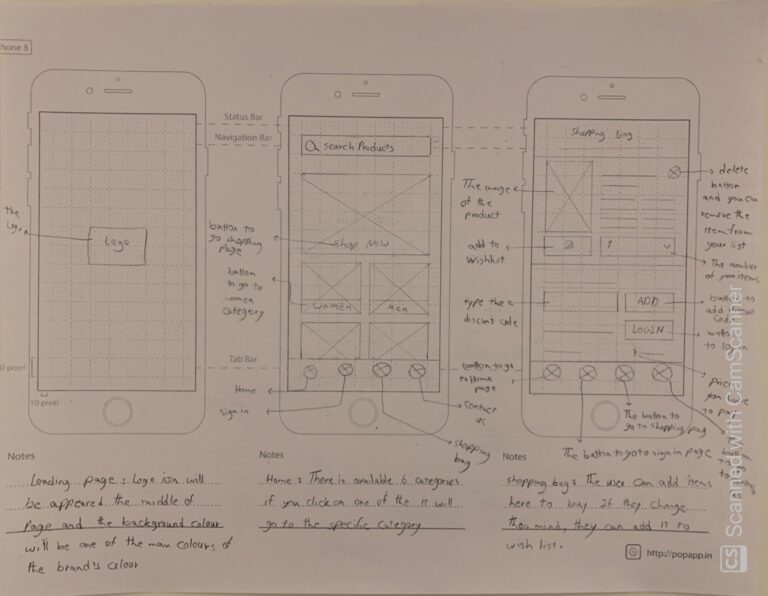
b. I added the “Shop Now” button at the top of the page to let the user go to the all products shopping page.
c. I tried to add a high-quality and related image at the top of the page to give it a modern and stylish look.
d. I also added the main bar at the bottom of the page that includes four icons from left to right: “Home page”, “Sign-in page”, “Shopping bag”, and “Contact us”. This main bar will appear on all pages in the same place. Therefore, it gives the user access to different pages quickly and easily.
2. There are unnecessary tiles on the home page that make the home page crowded and confusing for the user, for example, Facebook and Tracing are placed on the main categories
a. I put social media in the footer and created and moved to trace out from the home page to make the home page less crowded and simple.
Shopping Bag page:
1. The app does not have a separate page for the “Shopping Bag”, it is a part of the “Shopping” page. This design could make the user confused about how to find their shopping bag.
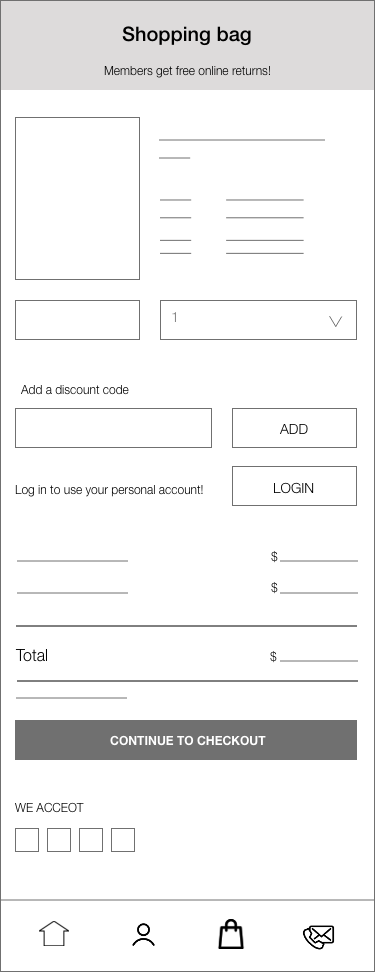
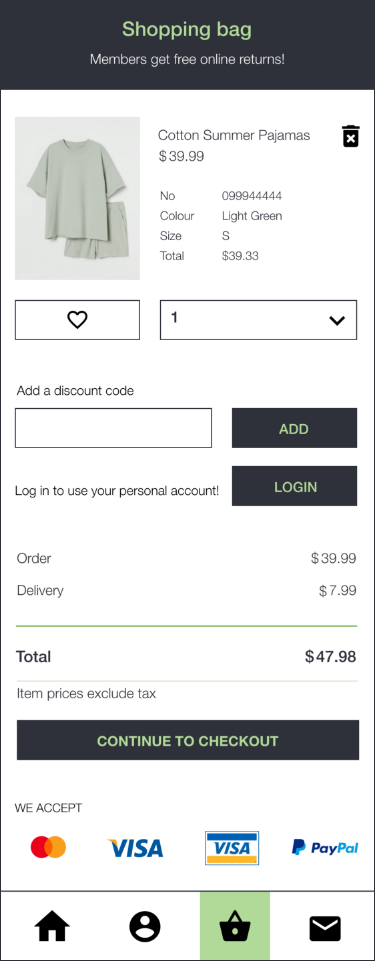
a. I have created a “Shopping Bag” page and I also associate the “Shopping bag” option with the main bar at the bottom of the page. In this way. if the user stops using the app and she wants to re-open the app later, it is easy to find their shopping bag and continue their shopping process.
b. There is also another scenario when the user is not sure about the items that she chose to buy, I created a wish list that allows the user to add items to her wish list.
2. The shopping process has two pages (shopping bag and payment) in the app.
a. I changed two pages to only one page that allows the user to see the item that she wants to buy at the same time that she is paying for the item.
b. The user can also sign in to her account on this page. This option allows the user to sign in during her shopping process and she does not need to leave her shopping process in order to sign in to her account.
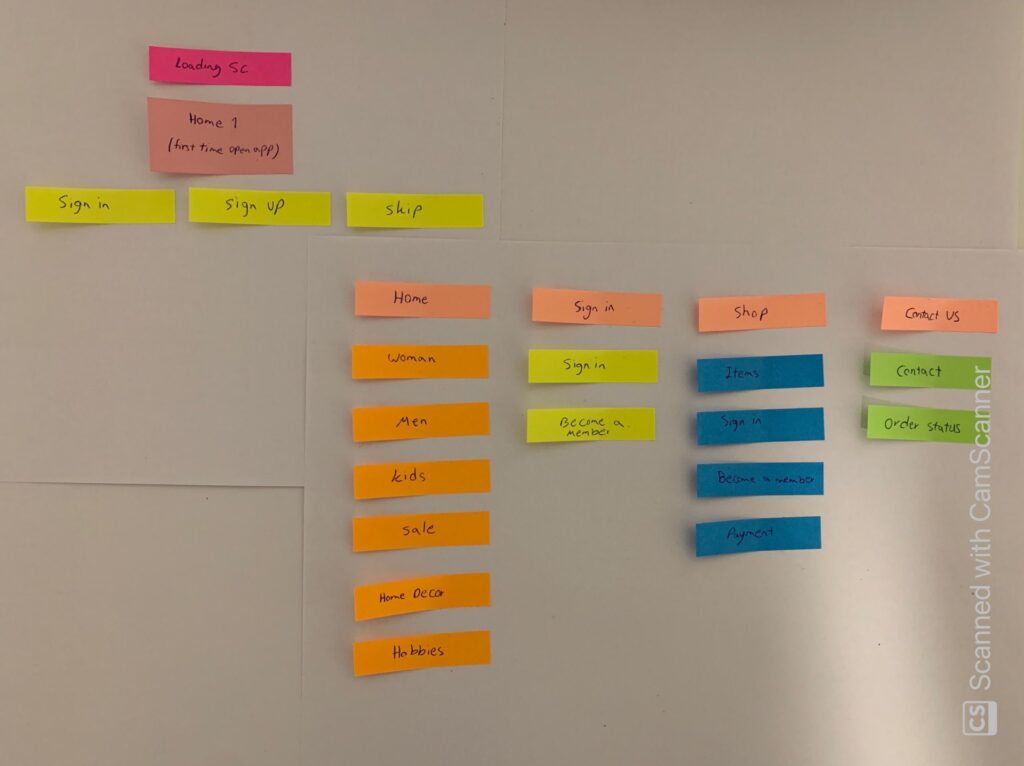
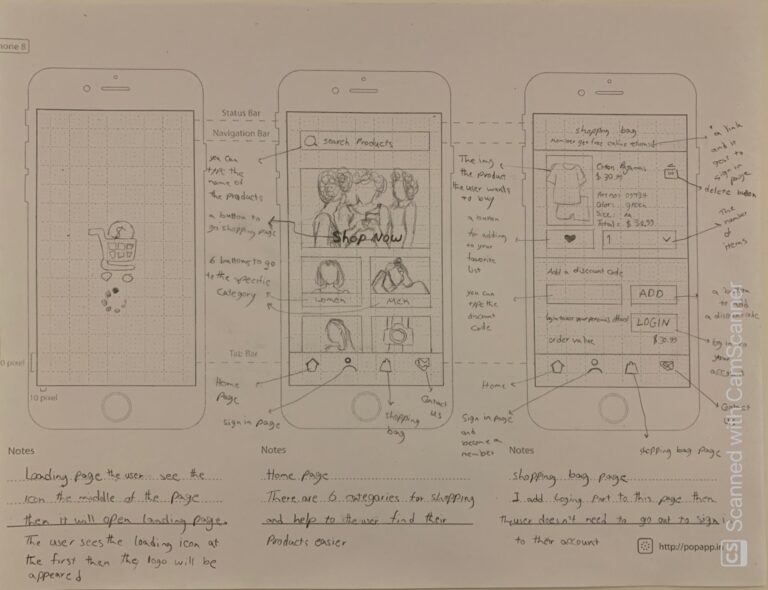
I tried to draw a few overviews of interactive products to establish the structure and flow of possible design solutions. I shared my wireframing with my teammates, and after a few modifications, the following design became the best one to reflect the user and business needs.
I Provided high-fidelity with prototype, and my team members tested and gave me some feedback.
Is the screen more effective than the original and why? Do this for the entire app and every screen.
Hannah Bernaddette:
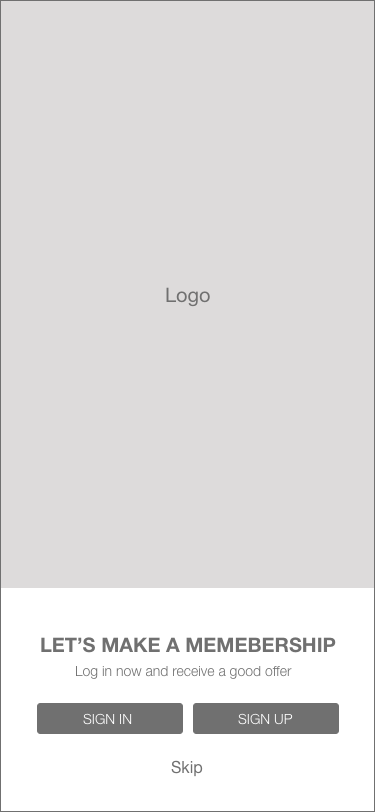
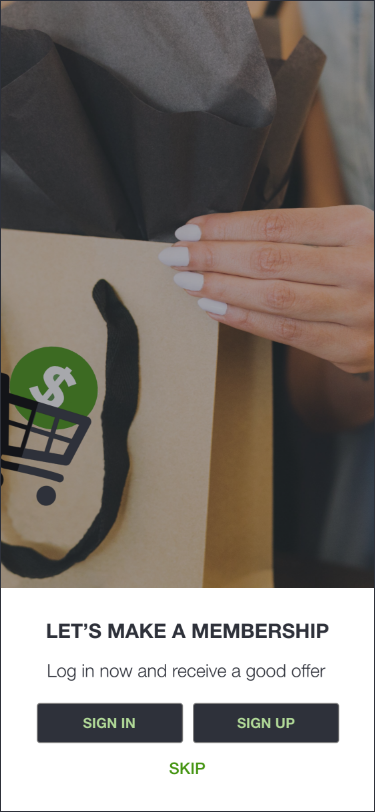
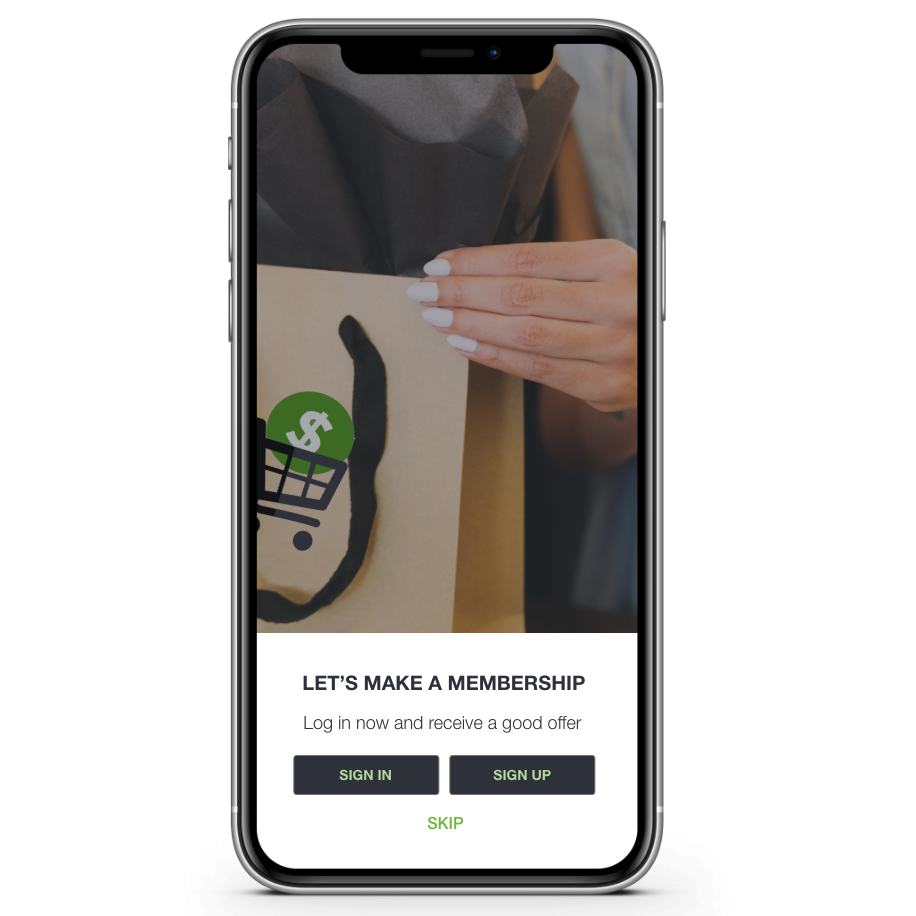
• Yes, she thought it is absolutely an improvement. She loved what I did. She loved the “Landing” page with the “skip” button because she believes people really want to go shopping. She also loved my designed shopping bag, and she thought it is really
impressive and really well done.
• She thought, in general, the colour scheme is really good.
• She suggested adding consistency to the buttons. The home page’s buttons are not capitalized, and the rest of the buttons are capitalized.
• She thought all pages are really impressive.
Nesia Saparno:
• For her, it is hard to read the green font on the black background. She suggests choosing a lighter colour for the font. (Hannah also agreed with her idea.).
• She suggested adding some source of the header to the “Home” page.
Ben Grant:
• He added a comment to Nesia’s point about the header. He suggested adding a header like the Shopping bag’s header to the “Home” page with a black background and a green title. (Hannah agreed with his idea)
Harman Singh:
• No comment.
Are the UI elements used an improvement?
Hannah Bernaddette:
• Yes, absolutely 100% especially the cards, the card is very good. She loved the “like” button a lot.
Nesia Saparno:
• Yes, 100% and she agreed with Hannah.
Ben Grant:
• Yes 100% it is
• He suggested for the footer maybe try to have a white icon on the green to see how it works instead of having a black icon on the green.
Harman Singh:
• No comment.
Part One
Overall, is the prototype option stronger, and why?
Hannah Bernaddette:
• 100% stronger. She said she cannot stop looking at my Home page’s cards
• She thought the landing page is really impressive. Even if they had a landing page, she would say my designed landing page is absolutely an improvement to the application.
• She really liked the images that I used. She thought the images are simple but they kind of give her a good feeling about the website. She said she could see the big picture, and then there are smaller images for the elements on the website. She thought there is a consistency between the images on the “Home” page. She could imagine the moodboard that I used on my “Home” page, just from looking at the designed website.
She thought the whole application seems very consistent and very well done
• She thought the icons chosen on the footer were very good. She said she really does not need to know what the icons mean; the shape of the icons explains it very well.
• She loved the designed “Shopping bag” page and the overall layout of the screens.
Nesia Saparno:
• She agreed with Hannah
Ben Grant:
• He agreed with Hannah
Harman Singh:
• No comment
Is the screen more effective than the original and why? Do this for all the screens.
I think all my team members loved the screens and layout that I designed. I should add a header for my “Home” page same as my “Shopping bag” page. I am also going to try to change the green colour font to a lighter colour on the dark background to see how it will look. I should capitalize the button’s text on the “Home” page.
Are the UI elements used an improvement?
In general, my team members agreed it was a 100% improvement with UI elements. I am going to change the colour of the icon of the selected screen to be white instead of dark with a green background.
Overall, is the prototype option stronger, and why?
My team members agreed it was a 100% stronger design. I am going to apply their suggestions to make my design stronger.
Is the screen more effective than the original and why? Do this for the entire app and every screen.
Hannah Bernaddette:
• Yes, she thought it is absolutely an improvement. She loved what I did. She loved the “Landing” page with the “skip” button because she believes people really want to go shopping. She also loved my designed shopping bag, and she thought it is really
impressive and really well done.
• She thought, in general, the colour scheme is really good.
• She suggested adding consistency to the buttons. The home page’s buttons are not capitalized, and the rest of the buttons are capitalized.
• She thought all pages are really impressive.
Nesia Saparno:
• For her, it is hard to read the green font on the black background. She suggests choosing a lighter colour for the font. (Hannah also agreed with her idea.).
• She suggested adding some source of the header to the “Home” page.
Ben Grant:
• He added a comment to Nesia’s point about the header. He suggested adding a header like the Shopping bag’s header to the “Home” page with a black background and a green title. (Hannah agreed with his idea)
Harman Singh:
• No comment.
Are the UI elements used an improvement?
Hannah Bernaddette:
• Yes, absolutely 100% especially the cards, the card is very good. She loved the “like” button a lot.
Nesia Saparno:
• Yes, 100% and she agreed with Hannah.
Ben Grant:
• Yes 100% it is
• He suggested for the footer maybe try to have a white icon on the green to see how it works instead of having a black icon on the green.
Harman Singh:
• No comment.
Part One
Overall, is the prototype option stronger, and why?
Hannah Bernaddette:
• 100% stronger. She said she cannot stop looking at my Home page’s cards
• She thought the landing page is really impressive. Even if they had a landing page, she would say my designed landing page is absolutely an improvement to the application.
• She really liked the images that I used. She thought the images are simple but they kind of give her a good feeling about the website. She said she could see the big picture, and then there are smaller images for the elements on the website. She thought there is a consistency between the images on the “Home” page. She could imagine the moodboard that I used on my “Home” page, just from looking at the designed website.
She thought the whole application seems very consistent and very well done
• She thought the icons chosen on the footer were very good. She said she really does not need to know what the icons mean; the shape of the icons explains it very well.
• She loved the designed “Shopping bag” page and the overall layout of the screens.
Nesia Saparno:
• She agreed with Hannah
Ben Grant:
• He agreed with Hannah
Harman Singh:
• No comment
Is the screen more effective than the original and why? Do this for all the screens.
I think all my team members loved the screens and layout that I designed. I should add a header for my “Home” page same as my “Shopping bag” page. I am also going to try to change the green colour font to a lighter colour on the dark background to see how it will look. I should capitalize the button’s text on the “Home” page.
Are the UI elements used an improvement?
In general, my team members agreed it was a 100% improvement with UI elements. I am going to change the colour of the icon of the selected screen to be white instead of dark with a green background.
Overall, is the prototype option stronger, and why?
My team members agreed it was a 100% stronger design. I am going to apply their suggestions to make my design stronger.